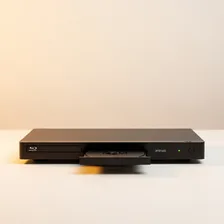
Blu-ray & DVD Players

Blu-ray & DVD Players

Complete repair and maintenance guide for disc players

Blu-ray and DVD players remain essential for physical media enthusiasts, classic film collectors, and households with large existing disc libraries. Unlike streaming devices that depend on internet connectivity, disc players deliver consistent quality independent of network speed. Disc read failures, playback skipping, no picture output, remote control issues, tray problems, and slow loading are the most common complaints from disc player owners. Most are fixable through laser lens cleaning, cable swaps, or remote troubleshooting rather than full player replacement. This guide explains every common disc player issue with clear, practical fixes that keep your physical media collection enjoyable.

Understanding Blu-ray & DVD Players

Blu-ray and DVD players have become a niche but devoted category as streaming has displaced physical media for most viewers. The remaining audience consists of collectors who value owning their movies outright, audiophiles and videophiles who insist on the highest possible quality (4K UHD Blu-ray remains the highest-quality home video format available, surpassing all streaming services in bitrate and codec quality), and households with large existing disc collections.

The current Blu-ray player market is dominated by Sony, Panasonic, and Samsung in the consumer space, with niche manufacturers like Oppo (now discontinued) maintaining cult status among enthusiasts. 4K UHD Blu-ray players cost $150–$700, with the higher tier offering Dolby Vision support, enhanced audio outputs, and superior video processing for upscaling DVDs to modern displays. Standard Blu-ray and DVD-only players are still available for under $100 but are increasingly hard to justify when most users with discs eventually want 4K.

Common Problems

1

Disc Not Being Read or Recognised

Disc read failures are most commonly caused by dust on the laser lens inside the player, scratched or dirty disc surfaces, or the laser itself reaching end of life after years of use. Lens cleaning resolves most read problems before laser replacement is needed.

2

Playback Skipping or Freezing

Playback skipping is typically caused by physical disc damage from scratches or dirt, dust on the laser lens reducing read accuracy, or the player struggling with anti-piracy protection on certain newer disc releases.

3

No Picture Output to TV

No picture output is most commonly caused by the TV being set to the wrong HDMI input, an HDMI cable that has failed or come loose, or HDCP handshake issues between player and TV that a power cycle of both devices resolves.

4

Remote Control Not Responding

Remote control problems are usually caused by depleted batteries, the IR receiver on the player being obstructed, or — for universal remotes — incorrect device codes that need to be reprogrammed for the specific player model.

5

Tray Not Opening or Closing

Disc tray problems are typically caused by the tray belt becoming worn or stretched after years of use, debris in the tray mechanism, or the eject motor itself failing. Belt replacement resolves most tray issues that are not caused by debris.

6

Player Loading Very Slowly

Slow disc loading is most commonly caused by laser lens dust reducing read efficiency, firmware that has not been updated to handle newer disc formats efficiently, or — for older players — components reaching the end of their useful life.

Why Blu-ray & DVD Players Fail

Optical drives are the universal failure point. The laser assembly that reads discs has a finite operational lifespan — typically 5–10 years of regular use — and as it ages, it becomes pickier about which discs it can read. Symptoms of laser wear include skipping during playback, intermittent disc-not-recognised errors, and longer load times. Replacing the laser assembly is possible for some models but rarely economical given the labour and the price of new players.

Beyond the optical drive, the most common failures are HDMI output issues (often resolved by power-cycling the player, sometimes requiring an output board replacement), firmware bugs that interfere with disc playback (firmware updates resolve most), and remote control failures. The internal power supplies degrade after 8–10 years like most consumer electronics. Disc tray motors occasionally fail, leaving the tray stuck open or closed.

Repair & Fix Guides

Maintenance Tips

  • Clean discs with a soft cloth from centre to edge before playback to prevent skipping
  • Run a lens cleaning disc every 6-12 months to maintain reliable disc reading
  • Keep the player in a dust-free location with good ventilation around vents
  • Update firmware periodically for compatibility with newer disc releases
  • Use quality HDMI cables that handle the bandwidth required for 4K Blu-ray playback

Repair, Replace & Buying Advice

A working Blu-ray or DVD player should be kept until it fails or until specific format support becomes important. The main upgrade reasons are 4K UHD Blu-ray support (which requires a 4K player and a 4K disc — older 1080p players cannot play UHD discs), Dolby Vision compatibility for HDR content, and updated streaming app integration (though dedicated streaming devices do this better).

When buying new, the key features are 4K UHD Blu-ray support if you have a 4K TV, Dolby Vision compatibility if your TV supports it, audio output options (HDMI passthrough is essential, optical for older systems, dedicated stereo outputs for hi-fi enthusiasts), build quality (premium players have better disc loading and more reliable lasers), and warranty length (3+ years signals manufacturer confidence).

Long-Term Care & Best Practices

Optical disc players are remarkably long-lived devices but they have one universal weak point: the laser pickup that reads the discs. The single most useful habit is keeping the player in a well-ventilated location away from dust, cigarette smoke, and cooking aerosols, all of which gradually film over the laser lens and cause the read errors that get blamed on scratched discs. Once every year or two, run a cleaning disc through the player — they cost about $10 and use a soft brush attached to a disc to gently dust the laser lens. Avoid cheap unbranded cleaning discs, which can be rough enough to damage the lens itself.

Disc handling matters more than most owners realise. Hold discs only by the edges and the centre hole, store them vertically in their cases when not in use, and keep them away from heat and direct sunlight. Most disc damage happens not during playback but during careless storage — leaving a disc out of its case to gather dust, stacking discs without sleeves, or exposing them to the sun in a car all cause the surface scuffs that increasingly trigger read errors. A scratched disc is often recoverable with a careful resurfacing service ($1–$3 per disc) for irreplaceable titles, but prevention is much cheaper than cure.

Plan for the eventual end of streaming as a complete media solution. Physical discs offer guaranteed long-term access to films and TV shows that streaming services regularly remove without warning, and the picture and audio quality of 4K UHD Blu-ray remains noticeably better than even premium streaming tiers. As the player ages and 4K Blu-ray players become harder to buy new, hold on to a working unit even if it's no longer your primary device — these players are increasingly considered appliances that you keep until they fail. When a player finally does fail, recycle through certified e-waste channels because the laser assembly contains small precision optics and some hazardous components.

HDMI handshake and HDR-format compatibility quietly determine how reliably a Blu-ray player works with newer TVs and audio equipment. As you upgrade other devices in your stack, occasionally power-cycle the entire chain (TV off, soundbar off, player off, then power up in the same order) to clear stale HDCP keys that accumulate over months of use. Check the player's firmware menu once a year for updates because manufacturers occasionally add Dolby Vision support, fix Atmos audio bugs, or improve disc compatibility long after launch. If a player loses HDMI handshake reliability with a particular TV, try a different premium-certified HDMI cable before assuming the player itself has failed; cable issues account for the majority of intermittent black-screen problems and are dramatically cheaper to fix than replacing the player.

Quick Tips

Clean discs from centre to edge — never in circles which can damage the data spiral

Lens cleaning disc resolves most read failures before considering player replacement

Update firmware periodically — fixes compatibility with newer disc releases

Frequently Asked Questions

Why is my Blu-ray player having trouble reading discs?

Almost always a failing laser. The laser assembly that reads discs degrades over years of use, becoming pickier about which discs it can read. Cleaning the lens with a Blu-ray lens cleaner disc may help temporarily. Long-term, the only fix is laser replacement (possible for some models, expensive) or buying a new player.

Will my old DVDs play on a 4K Blu-ray player?

Yes — 4K UHD Blu-ray players are backward-compatible with standard Blu-ray and DVD discs. The player will upscale DVDs to your 4K TV resolution, with image quality varying by player (premium players do significantly better upscaling than budget models). Original DVD quality is limited by the source — you can't extract 4K detail from 480p source video.

What's the difference between Blu-ray and 4K UHD Blu-ray?

Standard Blu-ray is 1080p resolution at up to 40 Mbps bitrate. 4K UHD Blu-ray is 2160p (4K) at up to 100 Mbps with HDR (HDR10 and Dolby Vision support). Both are dramatically higher quality than streaming, but 4K UHD requires a compatible player, a 4K HDR TV, and a 4K UHD Blu-ray disc — older 1080p Blu-ray discs play in standard 1080p on any player.

Why won't my DVD player connect to the internet anymore?

Blu-ray and DVD players that include streaming apps eventually get abandoned by their manufacturers, with apps becoming outdated and unable to connect to current servers. There's no fix — the player remains useful for playing discs, but for streaming, you'll need a dedicated streaming device. Don't buy a Blu-ray player primarily for its streaming features.

Should I buy a region-free Blu-ray player?

If you import discs from other regions or watch international content, yes. Region-locked players (which most consumer players are) only play discs from their assigned region. Region-free players cost slightly more but unlock all regions. Note that most 4K UHD Blu-ray discs are region-free by industry agreement, but standard Blu-ray and DVD discs are usually region-coded.

Step-by-Step Repair Tutorials

Hands-on tutorials covering the most common Blu-ray & DVD Players repairs.

Recommended Learning Guides

Background knowledge from the Learning Center to help you understand and care for Blu-ray & DVD Players.

Related Guides