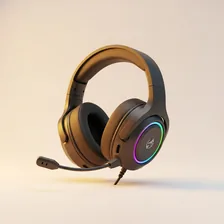
Gaming Headsets

Gaming Headsets

Complete repair and maintenance guide for gaming headsets

Gaming headsets are worn for hours during long gaming sessions, exposed to sweat and constant adjustment, and pushed harder than typical headphones with positional audio, voice chat, and game audio playing simultaneously. Whether wired or wireless, they all face similar reliability issues over time. One ear cup losing audio, microphone failures, wireless connection drops, audio distortion, software detection problems, and ear cushion deterioration are the most common complaints. Most are fixable with cleaning, cable replacement, or driver updates. This guide explains every common gaming headset issue and the practical fix that gets you back into the game without buying new hardware.

Understanding Gaming Headsets

Gaming headsets sit between general-purpose headphones and professional audio gear. They're designed for long sessions (lightweight, comfortable padding), positional audio (so you can hear footsteps from specific directions), clear voice chat (built-in microphones with reasonable quality), and platform compatibility (PC, Xbox, PlayStation, Switch, mobile). The market is dominated by HyperX, SteelSeries, Logitech G, Razer, and Astro, with significant innovation in wireless models and Bluetooth+wireless dongle dual-connectivity.

The split between wired and wireless gaming headsets has narrowed as wireless technology has matured. Modern 2.4 GHz wireless dongles deliver virtually no perceptible latency for gaming, while battery life on flagship wireless headsets has reached 50–100 hours per charge. Wired connections still offer the simplest setup with no battery management and zero latency, plus they avoid the need for a USB port to be permanently occupied by the dongle.

Common Problems

1

One Side of Headset Producing No Audio

One side losing audio is typically caused by a damaged cable internally, a loose connector at the headset or audio device, or — for wireless headsets — channel imbalance settings being shifted accidentally to mute one side without the user realising.

2

Microphone Not Working in Game Chat

Microphone failures in game chat are most commonly caused by microphone permissions being disabled in the operating system, the wrong input device being selected in game settings, or — for boom microphones — the microphone mute switch being engaged.

3

Wireless Connection Dropping Mid-Game

Wireless headset disconnections during gaming are usually caused by interference from other 2.4 GHz devices, the dongle being plugged into a USB hub instead of directly into the computer, or low battery in the headset causing transmission instability.

4

Audio Distorting at High Volume

Audio distortion at high volume on gaming headsets is typically caused by damaged drivers from sustained loud playback, EQ settings being set too aggressively for the audio source, or — for some headsets — software equaliser conflicts between different audio apps.

5

Software Not Detecting Headset Device

Software detection failures are most commonly caused by outdated headset drivers, USB port power issues affecting wireless dongles, or the headset companion software conflicting with operating system audio drivers after recent updates.

6

Ear Cushions Deteriorating and Flaking

Ear cushion deterioration is inevitable with regular use, accelerated by sweat, body oils, and friction during long sessions. Most quality headsets offer replacement cushions that restore comfort and acoustic performance without buying a new headset entirely.

Why Gaming Headsets Fail

Headset earpads are the universal failure point. Whether they're leatherette (which cracks and peels after 1–2 years), velour (which collects dust and oils), or memory foam (which compresses permanently), pads need replacement every 1–3 years for continued comfort. Most quality headsets have user-replaceable pads, often for $10–$30. Pads are also the easiest hygiene upgrade — refreshed pads make an old headset feel new.

Beyond pads, the most common failures are headband padding wear, microphone arm hinge breaks, USB or 3.5mm cable failures (where the cable enters the headset), and battery degradation in wireless models. Drivers themselves are robust — they almost never wear out under normal use. Bluetooth pairing memory occasionally corrupts and requires a factory reset to recover.

Repair & Fix Guides

Maintenance Tips

  • Wipe ear cushions weekly with a barely-damp cloth to remove sweat and oils
  • Replace ear cushions every 12-18 months to maintain comfort and audio quality
  • Store the headset on a stand to prevent cable damage and headband stress
  • Update headset drivers and firmware periodically for compatibility improvements
  • Charge wireless headsets after every session to maintain battery health long-term

Repair, Replace & Buying Advice

Gaming headsets are worth keeping until the cumulative cost of replacement parts (pads, headband, cable) approaches the cost of a new headset, or until comfort genuinely degrades. The replacement reasons are usually a desire for wireless (if currently wired), better microphone quality, longer battery life, or compatibility with new platforms.

When buying new, the most important factors are comfort over multi-hour sessions (headband design, weight, clamping force, and pad material all matter), microphone quality (read reviews and listen to recorded samples), platform compatibility (a headset that works on PC, Xbox, and PlayStation is much more useful than a single-platform model), connectivity (wired, 2.4 GHz wireless, Bluetooth — multipoint is increasingly available), and replaceable parts availability for long-term maintenance.

Long-Term Care & Best Practices

Gaming headsets get worn for hours at a time in environments full of skin oils, sweat, hair products, and food crumbs, and earpad hygiene is the single most important habit for both comfort and longevity. Wipe the earpads and headband contact area with a soft damp cloth weekly, and replace the pads themselves every twelve to eighteen months before they start cracking, peeling, or absorbing odours. Most quality headsets ship with replaceable pads and replacements cost $10–$30 — refreshing them is the single change that makes an old headset feel brand new and dramatically extends the realistic useful life of an otherwise good piece of equipment.

Cable and connector care matters disproportionately on wired gaming headsets because the cable is the most-flexed part of the entire device. Avoid wrapping the cable tightly around the headset for storage; instead, loop it loosely in figure-eight coils and secure with a velcro tie. The most common cable failure point is right where the cable enters the earcup or the inline mic module — gentle handling at those spots prevents the intermittent audio and microphone failures that get blamed on the headset itself. For detachable cables, replace the cable rather than the entire headset when problems develop.

Wireless gaming headsets need slightly different care because their batteries are sealed and not user-serviceable in most models. Avoid leaving the headset on its charger overnight every night; instead, top up to 80–90% during the day and disconnect when full. After two to three years, expect noticeable battery degradation regardless of care — at that point, evaluate whether the manufacturer offers paid battery service ($40–$80 for many flagship models) or whether replacement makes more sense. The 2.4 GHz wireless dongle should be kept with the headset because losing it effectively bricks the wireless functionality. Recycle responsibly through certified e-waste channels when retirement eventually arrives.

Software and firmware management is the silent factor that separates a great-sounding headset from a frustrating one as the years pass. Manufacturer companion apps occasionally release firmware updates that improve microphone clarity, add equalizer presets, or fix Bluetooth pairing bugs that have nagged owners for months. Check for firmware updates every six months at minimum, and back up any custom equalizer or microphone settings before applying updates because some firmware versions reset profiles to defaults. If the manufacturer's app becomes incompatible with newer phone or computer operating systems, the headset itself usually keeps working perfectly with default settings — older flagship gaming headsets often outlast the software ecosystems built around them by years, and remain excellent audio devices long after their accompanying apps stop receiving updates.

Quick Tips

Replace worn ear cushions before buying a new headset — restores comfort completely

Plug the wireless dongle directly into the computer, not a USB hub for stability

Check microphone permissions first when game chat stops working — most common cause

Frequently Asked Questions

Why do my headsets keep needing new earpads?

Earpad materials are inherently consumable. Heat from the head, oils from the skin, and constant compression all break down the foam and outer covering over time. Leatherette typically cracks within 1–2 years; velour and fabric last longer but absorb sweat and dust. Most quality headsets are designed for user-replaceable pads — refreshing them every 12–18 months keeps the headset comfortable and hygienic.

Why does my microphone sound muffled?

Most often the foam windscreen on the microphone has either been torn off or compressed, allowing breath puffs to hit the mic capsule directly. A new foam windscreen ($1–$3) restores normal sound. If the mic itself sounds permanently muffled, the boom arm position may have shifted — it should be 1–2 inches from the corner of your mouth, not directly in front.

Wired or wireless gaming headset — which is better?

Both work well in 2026. Wired headsets are simpler (no battery, no charging, no setup beyond plugging in), have zero latency, and never run out of power. Wireless 2.4 GHz dongle headsets offer freedom of movement and modern models have excellent battery life (50+ hours) and indistinguishable latency from wired. Bluetooth-only wireless is generally too laggy for competitive gaming but fine for casual play and music.

What's surround sound on a headset and is it worth it?

Headset 'surround sound' is a software simulation that uses head-related transfer function (HRTF) processing to give stereo audio a sense of 3D positioning. Quality varies widely between implementations — Windows Sonic, Dolby Atmos for Headphones, and Sony's Tempest 3D (PS5) are all reasonable. The benefit for competitive games is real (clearer footstep direction). For music and most casual use, regular stereo often sounds better.

How long does a wireless headset battery last?

Quality wireless gaming headsets deliver 25–100 hours per charge depending on the model and features used. RGB lighting, active noise cancellation, and high-quality codecs all reduce battery life. After 2–3 years, expect noticeable capacity loss. Replaceable batteries are rare in this category — most wireless headsets need professional service or replacement when the battery fails.

Step-by-Step Repair Tutorials

Hands-on tutorials covering the most common Gaming Headsets repairs.

Recommended Learning Guides

Background knowledge from the Learning Center to help you understand and care for Gaming Headsets.

Related Guides