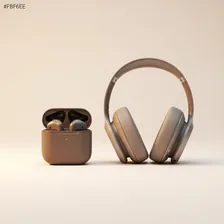
Wireless Earbuds & Headphones

Wireless Earbuds & Headphones

Complete repair, care and maintenance guide for wireless audio devices

Wireless earbuds and headphones have become daily essentials for music, calls, podcasts, and silent commuting. Worn for hours every day and constantly carried in pockets and bags, they face wax buildup, sweat exposure, drops, and the slow degradation of their tiny rechargeable batteries. The most common complaints — uneven audio between sides, dropped Bluetooth connections, dead charging cases, and muffled sound — are usually fixable with simple cleaning, battery resets, or pairing fixes. Knowing which symptom points to a quick fix versus a hardware fault saves a lot of money on premature replacements. This guide walks through every common issue and the practical steps that resolve it.

Understanding Wireless Earbuds & Headphones

Wireless earbuds have become the default way most people listen to music, take calls, and consume podcasts since the disappearance of the headphone jack from most phones. The category covers true-wireless earbuds (each side is independent), neckband-style earphones, on-ear and over-ear wireless headphones, and hybrid models that combine wireless freedom with optional wired backup. Pricing ranges from $20 budget earbuds that surprise you with how good they sound to $700 audiophile-grade noise-cancelling headphones with custom EQ and lossless codec support.

The shift from wired to wireless brought enormous convenience but also introduced new problems wired headphones never had. Batteries that wear out. Bluetooth pairing that breaks. Charging cases with their own internal failures. Lost individual earbuds that are impossible to replace as a single unit. Touch controls that misfire. Despite all of these tradeoffs, the convenience of grabbing earbuds and walking out the door without a cable to untangle has been decisive — wireless audio is now the default for nearly every listening occasion outside of professional studios.

Common Problems

1

One Earbud Quieter or Completely Silent

Earwax and debris packed into the mesh covering the speaker driver is the leading cause of one earbud sounding quieter than the other. Audio balance settings being shifted accidentally is the second most common cause. Both are easily corrected before assuming the driver itself has failed.

2

Bluetooth Connection Dropping During Use

Frequent Bluetooth disconnections are typically caused by interference from nearby Wi-Fi routers, microwaves, or other wireless devices crowding the 2.4 GHz spectrum. Outdated firmware on the earbuds or paired device, and corrupted pairing data, also cause this kind of intermittent dropout.

3

Charging Case Not Charging Earbuds

Lint, fluff, and skin debris on the charging contacts inside the case prevent reliable connection between the case and the earbud charging pins. The case itself may also have lost its battery charge, which is easily missed because the LED only flashes briefly when low.

4

Audio Sounding Muffled or Distorted

Muffled audio is almost always caused by wax-blocked speaker meshes rather than damaged drivers. Distortion at high volume points to a damaged driver but is usually preceded by a long period of wax buildup that gradually muffled the sound first.

5

Microphone Not Picking Up Voice Clearly

The microphone holes on earbuds are very small and easily blocked by lint and pocket debris. Software permissions on the paired device can also disable microphone access for specific apps, which presents as a hardware fault but is purely a settings issue.

6

Earbuds Not Pairing with New Device

Pairing failures on a new device are usually caused by the earbuds still being connected to a previously paired device nearby. A full reset of the earbuds — usually a long press on the case button — clears stored pairings and lets you start fresh.

Why Wireless Earbuds & Headphones Fail

Earbud batteries are tiny — often just 50–80 mAh per side — and they cycle daily with most owners. After 18 months of regular use, runtime drops noticeably. After 3 years, many earbuds barely last through a single commute. Unlike phones and laptops, the batteries inside true-wireless earbuds are essentially unreplaceable for most users — the tiny size and adhesive construction mean professional repair is rarely available and DIY replacement usually destroys the earbud. This makes battery degradation the effective end-of-life for most wireless earbuds.

Beyond batteries, the most common failures are mesh and grille blockage from earwax (which mutes one side and reduces volume), water damage from sweat or rain (despite IPX ratings, the seals degrade), lost individual earbuds, and damage to the charging contacts inside the case. Over-ear wireless headphones fail differently — earpad cushions disintegrate after 2–4 years and need replacement (these are usually user-replaceable), headband hinges crack from being twisted on and off, and aux cable jacks wear out from cable insertion and removal.

Repair & Fix Guides

Maintenance Tips

  • Clean speaker meshes monthly with a soft dry brush to prevent earwax buildup
  • Wipe charging contacts inside the case weekly with a dry cotton swab
  • Store the case at room temperature away from direct sunlight to protect battery health
  • Update firmware through the companion app every few months for connection improvements
  • Replace foam or silicone tips every 3-6 months when they lose their shape

Repair, Replace & Buying Advice

True-wireless earbuds are mostly disposable electronics — when the battery dies, they get replaced. Over-ear wireless headphones have much longer useful lives because pads, cables, and even some batteries are replaceable, and the larger size allows internal repair. If you want hardware that lasts, larger headphones are far more sustainable than tiny earbuds.

When buying earbuds, prioritise battery life (6+ hours per side, 24+ hours with the case), comfort over many hours (try multiple ear-tip sizes), water resistance rating, microphone quality if you take calls, and active noise cancellation if you commute. Codec support (LDAC, aptX) matters for high-resolution streaming but not for Spotify or YouTube. For headphones, prioritise comfort, replaceable parts, multipoint Bluetooth (connect two devices simultaneously), and an option for wired use as a fallback.

Long-Term Care & Best Practices

Charging-case hygiene is the single most underrated maintenance habit for true wireless earbuds. Every time you put the buds back in the case, you transfer a tiny amount of skin oil, ear wax, and dust onto the charging contacts. Over months that residue builds up into a film thick enough to prevent reliable charging, and the symptom — one bud charging while the other doesn't — gets blamed on the buds themselves when the case is the actual culprit. A weekly wipe of the contacts with a cotton swab dipped in a drop of isopropyl alcohol takes ten seconds and prevents the most common failure mode entirely. Wax-guard mesh on the speaker grille should be cleaned with a dry soft brush whenever the audio sounds quieter or muffled.

Treat the charging case like the small electronic device it actually is rather than a wallet accessory. Keys, coins, and grit in the same pocket scratch the case finish and can damage the lid hinge mechanism, which is one of the few mechanical parts on these devices. A small soft pouch or a dedicated pocket protects the case at almost zero cost. For over-ear headphones, the cushioning around the ear cups (the earpads) and the underside of the headband are consumable parts that wear out long before the drivers do. Most quality headphones have replaceable earpads available for $15–$40 — swapping them every 18–24 months keeps an old headphone feeling like new.

Battery longevity comes down to charge habits more than anything else. Avoid leaving the case at 100% on the charger for days on end — unplug it once it's full, and only top it up when it falls below 30%. Most modern earbuds let the case hold 4–5 full charges of the buds, so you rarely need to charge daily. After 2–3 years, internal battery capacity will have dropped enough that listening time per charge feels noticeably shorter. At that point, replacement is usually the right call because the batteries inside true wireless buds are typically not user-serviceable. Recycle through the manufacturer's take-back programme — these contain valuable materials and small lithium cells that should never go in household rubbish.

Quick Tips

Clean speaker meshes first — wax buildup causes most quiet or muffled earbud issues

Reset the earbuds completely if pairing fails — clears stored device conflicts instantly

Charge the case before assuming earbuds are dead — easy to miss when the LED is dim

Frequently Asked Questions

Why does only one earbud play sometimes?

Single-side dropout is almost always a Bluetooth synchronisation problem rather than a hardware fault. Place both earbuds back in the case, close the lid, wait 10 seconds, then take them out and try again. If the issue persists, fully unpair the earbuds from your phone and re-pair from scratch. Hardware faults that affect one side only are uncommon and usually involve water damage.

How do I clean wax buildup out of the earbud mesh?

Use a soft dry brush (a clean toothbrush works) to dislodge surface wax, then gently rotate a wooden toothpick around the mesh edges to lift compacted material out. Never use water, alcohol, or compressed air — water destroys the driver and compressed air pushes debris deeper. For deeply embedded wax, manufacturer cleaning kits include specific tools and replacement mesh covers.

Can I replace the battery in true-wireless earbuds?

Technically yes, practically no for most users. The battery is glued inside a sealed enclosure and replacement requires precise heat work and micro-soldering. A handful of repair shops offer the service for premium models like AirPods Pro, but the cost typically approaches the price of new earbuds. The economics rarely make sense outside of high-end models.

Why is the sound quality worse than when they were new?

Most often, the sound passages in the earbud body have collected wax, dust, and skin oil that mutes the high frequencies. Cleaning the meshes restores brightness in most cases. If cleaning doesn't help, the dynamic driver may be damaged from water or impact — at which point replacement is the only fix.

What's the difference between Bluetooth versions for headphones?

Newer Bluetooth versions (5.0 and above) provide better range, more reliable connections, and lower power consumption, but the audio quality difference is largely down to codec support rather than version number. For everyday listening, anything from Bluetooth 4.2 onward sounds fine. Audiophiles should look for LDAC, aptX HD, or aptX Lossless support to maximise streaming quality from compatible phones.

Step-by-Step Repair Tutorials

Hands-on tutorials covering the most common Wireless Earbuds & Headphones repairs.

Recommended Learning Guides

Background knowledge from the Learning Center to help you understand and care for Wireless Earbuds & Headphones.

Related Guides

Related Driver Guide

Bluetooth Driver Guide

Bluetooth toggle missing, devices pairing but not connecting, or adapter disappearing after an update? See our Bluetooth driver fixes.

Read the Bluetooth Driver Guide