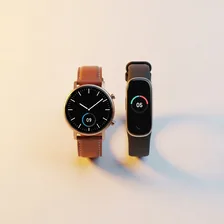
Smartwatches & Fitness Trackers

Smartwatches & Fitness Trackers

Complete repair, care and maintenance guide for wearable devices

Smartwatches and fitness trackers have evolved into sophisticated health companions that track heart rate, sleep quality, blood oxygen, steps, workouts, and stress levels continuously. They keep you connected without reaching for your phone and provide health insights previously only available through medical equipment. Because they are worn all day through exercise, sleep, showering, and daily activities, they face constant exposure to sweat, moisture, heat, and physical impact. Battery life shortening, sync issues, screen scratches, strap wear, and sensor accuracy problems are the most common complaints — most of which are fixable at home with the right maintenance steps and basic tools.

Understanding Smartwatches & Fitness Trackers

Smartwatches and fitness trackers turn the wrist into a screen for notifications, health metrics, payments, and a growing number of standalone apps. The category split that existed five years ago — Apple Watch and Wear OS as 'smart' devices, Fitbit and Garmin as 'fitness' devices — has largely disappeared. Modern fitness trackers run apps and respond to messages, while smartwatches track heart-rate variability, blood oxygen, sleep stages, and ECG readings as comprehensively as dedicated fitness hardware. The result is a single broad category where the meaningful differences come down to battery life, ecosystem compatibility, and which sport or activity the device prioritises.

Because these devices live on the body 24 hours a day, they encounter abuse no other electronic faces. Sweat, sunscreen, soap, salt water, dust, and constant vibration all attack the seals, sensors, and band attachment points. Heart-rate sensors press against skin for years, slowly clouding the optical glass. Buttons and crowns wear after thousands of presses. Despite all of that, well-designed wearables routinely last 3–5 years before significant problems appear, which is impressive given the conditions they operate in.

Common Problems

1

Battery Life Getting Noticeably Shorter

Smartwatch batteries degrade through hundreds of daily charge cycles, holding progressively less charge over time. Always-on display mode, continuous heart rate monitoring, GPS tracking, and frequent notification vibrations all accelerate battery consumption significantly.

2

Screen Scratched or Cracked

Smartwatch screens are small but face significant physical exposure from daily wear through work and exercise. Scratches accumulate on unprotected displays over time, affecting readability in sunlight. Impact cracks from knocks against hard surfaces require screen replacement.

3

Sync Not Working with Paired Phone

Bluetooth connectivity issues between the watch and its paired smartphone cause sync failures that prevent health data, notifications, and app updates from transferring correctly between the two devices.

4

Heart Rate and Health Sensor Inaccurate

Sweat, sunscreen, body lotion, and debris accumulating on the optical sensors on the underside of the watch reduce contact quality with the skin and produce unreliable health readings including incorrect heart rate data.

5

Strap Breaking or Causing Skin Irritation

Silicone and rubber straps degrade with prolonged sweat exposure, becoming stiff, discoloured, and prone to cracking at stress points near the buckle holes. Skin irritation is common when straps are worn too tightly or not cleaned regularly after exercise.

6

Watch Screen Frozen or Unresponsive

Software crashes cause the watch display to freeze on a single screen and stop responding to touch or button input. A forced restart — holding the side button for 10-15 seconds — resolves most software freeze issues without losing any stored health data.

Why Smartwatches & Fitness Trackers Fail

Battery degradation is the single most common reason smartwatches stop being useful. Unlike phone batteries, smartwatch batteries are tiny — often 250–400 mAh — and they go through a charge cycle every single day. After 18–24 months, a watch that originally lasted two days between charges may struggle to make it through one. Many owners assume the watch is failing when it's simply hit the end of its first battery life and is overdue for a replacement cell.

Beyond batteries, the most common physical failures involve the band attachment system (lugs, pins, and quick-release springs that wear from constant flexing) and the rear sensor array (where the optical heart-rate window can develop scratches that produce inaccurate readings). Water resistance also degrades over time — rubber gaskets harden and lose their seal after a few years of swimming, showering, and temperature changes, which is why manufacturers don't guarantee water resistance on watches more than a year or two old.

Repair & Fix Guides

Maintenance Tips

  • Rinse with fresh water after every workout and dry thoroughly before wearing again
  • Clean underside sensors weekly with a soft damp cloth for the most accurate health data
  • Replace strap every 6-12 months when wear or skin irritation becomes noticeable
  • Keep firmware updated through companion app for the latest performance improvements
  • Avoid extreme temperatures which degrade battery capacity and display performance

Repair, Replace & Buying Advice

Smartwatch batteries are usually replaceable, but the labour cost relative to a new device often makes replacement uneconomical. A $200 fitness band rarely justifies the $80–$120 battery service that a third-party repair shop would charge. Higher-end smartwatches ($400+) typically do justify the repair cost, particularly if you've invested in compatible bands, chargers, and sensor accessories.

When upgrading, the specifications that matter most are battery life under realistic use (advertised numbers assume features turned off), wrist size compatibility, ecosystem lock-in (Apple Watch only works with iPhone, Garmin works with both), GPS accuracy if you train outdoors, and sleep tracking quality if that's important to you. A built-in altimeter and barometer are valuable for hiking and outdoor sports but add cost. Cellular connectivity is genuinely useful for runners who want to leave their phone at home.

Long-Term Care & Best Practices

The most useful habit for any smartwatch or fitness tracker is to wipe it down with a soft damp cloth at the end of each day, paying particular attention to the heart-rate sensor on the underside and the band where it meets your skin. Sweat, sunscreen, and dead skin accumulate in those crevices and cause both inaccurate readings and skin irritation. Take the watch off entirely for a few hours each day — the skin underneath needs to dry out, and the watch's components benefit from cooling down. Most skin reactions from wearables are caused not by the materials themselves but by trapped moisture and friction over weeks of continuous wear.

Charging discipline matters disproportionately on these tiny batteries. Their cells are physically small (often 200–500 mAh) so each full cycle represents a much larger fraction of their total life than on a phone. Avoid keeping the watch on its charger overnight after it reaches 100% — top it up during a morning shower or while sitting at your desk instead. Keep the proprietary charging puck or cable in a single trusted location; the most common reason people abandon perfectly working watches is losing the unique charger and not bothering to order a replacement. A spare official charger costs $15–$30 and is well worth keeping on hand.

Bands are the consumable part of any wearable, and refreshing them transforms an old watch into something that feels brand new. Silicone bands typically last 12–18 months before they start cracking or staining; nylon, leather, and metal bands all last longer but suit different occasions. Most major brands use standard quick-release pins that let you swap bands in seconds without tools. As the watch ages into its fourth or fifth year, software support eventually drops off, but the device often continues working perfectly well for fitness tracking, sleep monitoring, and notifications even without new updates. Recycle through the manufacturer's trade-in programme rather than putting the lithium battery in household waste.

Quick Tips

Clean underside sensors weekly — dirty sensors cause most health tracking inaccuracy issues

Loosen the strap slightly during non-workout hours to reduce skin irritation significantly

Enable battery saver overnight if the watch struggles to last through a full day

Frequently Asked Questions

How long should I expect a smartwatch battery to last before needing replacement?

Most smartwatch batteries deliver 18–30 months of full performance before noticeable capacity loss begins. After 3 years, many devices will only manage half their original runtime. Battery replacement, where available, typically costs $60–$130 and restores full life — but check first whether your specific model can be opened without destroying water resistance.

Why is my heart rate reading suddenly inaccurate?

Optical heart-rate sensors rely on light passing through clean glass against clean skin. Sweat residue, sunscreen, hand cream, or scratches on the sensor window all interfere with readings. Clean both your skin and the sensor with a damp cloth, ensure the band is snug but not tight (one finger should fit underneath), and try moving the watch one finger-width up your arm if problems persist.

Can I shower or swim with my smartwatch?

Most modern smartwatches handle showers and swimming fine when new, but water resistance degrades over time as gaskets age. Hot water and soap are particularly hard on seals — lukewarm water is safer. Avoid hot tubs, saunas, and high-pressure water (jet skis, waterfalls). After a year or two, treat any water rating as advisory rather than guaranteed.

Why won't my watch sync with my phone anymore?

Sync failures are almost always a Bluetooth handshake problem rather than a hardware fault. The fix is to unpair the watch from the phone, restart both devices, then re-pair from scratch. This forces both devices to renegotiate their connection from a clean state and resolves most sync issues. If the problem returns frequently, your phone's Bluetooth radio may be failing.

Are step counts and calorie estimates actually accurate?

Step counts are typically within 5–10% of true values for walking and running, which is accurate enough for trend tracking. Calorie estimates are much less reliable — they vary by 20–30% between devices for the same activity because they rely on heart rate, age, weight, and proprietary algorithms. Use the numbers as comparisons against yourself over time, not as precise nutritional targets.

Step-by-Step Repair Tutorials

Hands-on tutorials covering the most common Smartwatches & Fitness Trackers repairs.

Recommended Learning Guides

Background knowledge from the Learning Center to help you understand and care for Smartwatches & Fitness Trackers.

Related Guides