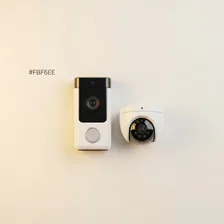
Smart Doorbells & Security Cameras

Smart Doorbells & Security Cameras

Complete repair and maintenance guide for smart doorbells and cameras

Smart doorbells and security cameras provide always-on awareness of who is at the door, what is happening at home, and what events occurred when nobody was watching. Their reliability matters genuinely — a missed motion alert defeats the purpose entirely. Battery and wired cameras alike face Wi-Fi reliability issues, notification delays, night vision problems, two-way audio dropouts, post-power-cut recovery, and image quality complaints. Most of these issues stem from network problems, settings configuration, or environmental factors rather than camera hardware faults. This guide explains every common smart camera and doorbell issue with the practical fix that resolves it.

Understanding Smart Doorbells & Security Cameras

Smart doorbells and security cameras have become the default for home monitoring, replacing traditional CCTV systems that required dedicated wiring and DVR hardware. Modern systems are wireless, cloud-connected, and accessible from any smartphone — letting homeowners see who's at the door from across town and review footage of any motion event. Brands like Ring, Arlo, Nest, Eufy, Reolink, and Wyze cover the consumer market, with significant differences in subscription costs, video quality, local storage options, and privacy practices.

Doorbell cameras are typically wired to existing doorbell power (8–24V AC) and provide a wide-angle view of the front door area with two-way audio. Outdoor security cameras come in wired (power-only or PoE Ethernet), battery-powered, and solar-charged variants. Indoor cameras are nearly always wired and serve as monitoring for pets, children, and unoccupied homes. The shared design challenge across all of them is balancing motion detection sensitivity (high enough to catch real events, low enough to avoid constant false alarms from passing cars or shadows).

Common Problems

1

Doorbell Not Sending Motion Notifications

Missing motion notifications are typically caused by motion sensitivity being set too low, motion zones being configured to exclude important areas, or app notification permissions being disabled on the phone receiving alerts.

2

Live View Not Loading in App

Live view loading failures are most commonly caused by Wi-Fi signal weakness at the camera location, the camera being on a network segment isolated from the phone, or — less often — a corrupted local cache in the camera app that requires reset.

3

Night Vision Not Working or Very Dark

Night vision problems are usually caused by infrared LEDs being obstructed by spider webs or dust on the lens housing, IR mode being disabled in settings, or — for older cameras — IR LEDs reaching end of life after years of use.

4

Two-Way Audio Cutting Out

Two-way audio dropouts during conversations are typically caused by Wi-Fi bandwidth limitations at the camera, microphone or speaker hardware issues, or app permissions for microphone access being incorrectly configured on the phone.

5

Device Going Offline After Power Cut

Cameras failing to come back online after power cuts typically need either the router to fully reboot first, the camera to be manually power-cycled, or — in stubborn cases — the camera to be removed and re-added to the app.

6

Video Quality Blurry or Pixelated

Blurry or pixelated video is usually caused by smudges and dirt on the camera lens, video bitrate being limited by Wi-Fi bandwidth, or recording quality settings being set lower than the camera supports for storage savings.

Why Smart Doorbells & Security Cameras Fail

Battery-powered cameras have a limited operational lifespan tied to their lithium-ion battery, which typically loses 20% capacity over 2 years. After 4 years, battery life often halves, requiring more frequent charging cycles. Most cameras have user-replaceable battery packs, but availability of replacements after the manufacturer discontinues a product line is uncertain. Cameras directly exposed to harsh weather (sun, rain, freezing temperatures) age faster — UV degrades the lens cover and seals, while temperature swings cycle the seals between expansion and contraction.

Beyond batteries, the most common failures are Wi-Fi connectivity (weak signal at the camera's mounting location), motion sensor dust accumulation (causing missed events), and SD card failures in cameras with local recording. Cloud subscriptions add a recurring cost concern — when manufacturers raise prices or change tiers, owners can find essential features (cloud recording, smart alerts) suddenly require an upgrade. Budget cameras sometimes get sold and abandoned by their manufacturer, leaving the owner with hardware that no longer connects to any service.

Repair & Fix Guides

Maintenance Tips

  • Clean camera lenses monthly with a soft cloth to maintain image quality and night vision
  • Test motion notifications regularly to ensure you receive alerts when needed
  • Check Wi-Fi signal strength at camera locations periodically as router setups change
  • Update camera firmware when manufacturer releases security and feature improvements
  • Replace battery cameras' batteries when capacity drops below 50% for reliability

Repair, Replace & Buying Advice

Working cameras with adequate image quality and a still-supported app are worth keeping. The replacement reasons usually come from wanting better resolution, person/package detection, colour night vision, or local storage to escape subscription fees. For doorbell cameras specifically, upgrades often involve switching from battery to wired operation for more reliable performance.

When buying new, prioritise local storage (SD card or local network video recorder) to reduce or eliminate subscription costs, person/package/vehicle detection accuracy, weather resistance rating (IP65 minimum for outdoor use), 1080p minimum resolution (4K is now affordable for fixed cameras), wide field of view (160°+ for doorbells), and two-way audio quality. Privacy practices vary enormously — research how the manufacturer handles your video footage before buying.

Long-Term Care & Best Practices

Outdoor cameras and doorbells live in the harshest environment of any consumer electronic — direct sun, rain, freezing temperatures, spider webs, and constant temperature swings. The single most useful maintenance habit is a five-minute quarterly inspection: wipe the lens with a soft damp cloth, brush spider webs and dust away from the motion sensor, check that mounting screws are still tight, and verify that any silicone gaskets around cable entries are intact and not cracked. Spider webs in front of motion sensors are by far the most common cause of constant false alerts, and they accumulate again within weeks of cleaning, so this is genuinely a quarterly task in most climates.

Wi-Fi reliability is the second long-term factor that determines how useful these cameras feel in years two and three. As your home accumulates more smart devices, the network gets crowded, and outdoor cameras at the edge of Wi-Fi range are usually the first to suffer. A well-placed Wi-Fi mesh node, or upgrading the doorbell to a model that supports 5 GHz Wi-Fi or wired PoE, dramatically reduces the missed-recording and stuck-feed issues that get blamed on the camera itself. For battery-powered cameras, charge or recharge before the battery drops below 20% — repeatedly running them flat shortens the cells significantly and often voids warranty coverage.

Subscription costs and cloud-storage policies are the silent factor that determines whether a camera remains useful in its later years. Manufacturers occasionally raise prices, change feature tiers, or discontinue free storage that owners had relied on for years. Keep an annual review on your calendar to evaluate whether you're still getting value, and consider cameras that offer local storage on microSD or an NVR alongside cloud features so you have an off-ramp if pricing changes. Recycle responsibly when cameras finally fail — they contain rechargeable batteries, lenses, and circuit boards that should always go through certified e-waste channels rather than household waste.

Quick Tips

Clean the camera lens monthly — dust kills night vision before anything else

Test notifications weekly — silent settings errors cause most missed alerts

Use a Wi-Fi extender for cameras with weak signal rather than tolerating dropouts

Frequently Asked Questions

Why does my doorbell camera show 'No Signal' when it was working?

Most often Wi-Fi signal degradation. Doorbell cameras are mounted at the perimeter of the home where Wi-Fi is weakest. Test signal strength at the camera location with a phone — if it's poor, install a Wi-Fi extender between the router and the camera or move the router closer. Also check the doorbell transformer's voltage; weak transformers cause cameras to operate intermittently.

How can I avoid camera subscription fees?

Choose cameras that include local storage options (SD cards, USB sticks, or NVR hubs). Some brands like Eufy and Reolink offer fully local operation with no required cloud subscription. Open-source platforms like Frigate combined with PoE cameras provide enterprise-grade local recording for the cost of the hardware alone. The main tradeoff is that local-only systems lack remote access without additional setup.

Are battery-powered or wired security cameras better?

Wired cameras (whether powered by Ethernet or low-voltage cable) provide constant 24/7 recording and never need battery management. Battery cameras offer flexibility in placement but only record when motion triggers them, and they need recharging every 1–6 months. For permanent security installation, wired is overwhelmingly the better choice. For temporary or hard-to-wire locations, battery is fine.

Why does my camera record so many false alerts?

Standard motion detection triggers on any pixel change — passing cars, shifting shadows, branches in wind, or insects at night near the lens. Reduce false positives by configuring activity zones (only alert for motion in specific areas), enabling person-only detection if available, raising sensitivity threshold, and using infrared or radar-based motion sensing where supported. Modern AI-based detection is dramatically better than older basic motion detection.

Can someone hack my home camera?

It's possible but reducible. Use strong unique passwords on the camera account, enable two-factor authentication, keep firmware updated, isolate cameras on a guest Wi-Fi network so a hacked camera can't access your computers, and choose manufacturers with strong security track records. Avoid budget unbranded cameras from large marketplaces — many have hardcoded passwords and known vulnerabilities.

Step-by-Step Repair Tutorials

Hands-on tutorials covering the most common Smart Doorbells & Security Cameras repairs.

Recommended Learning Guides

Background knowledge from the Learning Center to help you understand and care for Smart Doorbells & Security Cameras.

Related Guides