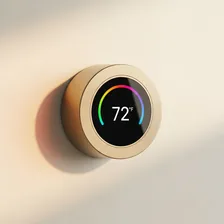
Smart Thermostats

Smart Thermostats

Complete repair and maintenance guide for smart thermostats

Smart thermostats deliver real comfort and real savings — learning your preferences, geofencing to your phone, and adjusting heating and cooling automatically based on schedules and conditions. They handle one of the largest energy expenses in any home, so reliability genuinely matters. App connection failures, inaccurate temperature readings, heating or cooling not triggering, schedule failures, blank screens, and unexpected battery drain are the issues smart thermostat owners encounter most often. Most are fixable with reset procedures, wiring inspection, or settings adjustments rather than service calls. This guide explains every common smart thermostat issue with the clear fix that resolves it.

Understanding Smart Thermostats

Smart thermostats replace the traditional round-dial or basic programmable thermostat with internet-connected devices that learn occupant patterns, integrate with weather forecasts, and can be controlled remotely from a phone. The market leaders — Nest, ecobee, Honeywell, Sensi — all offer broadly similar functionality but with meaningful differences in installation requirements, integration with home platforms, and approach to sensor-based zoning.

The energy savings claims for smart thermostats are real but smaller than marketing suggests. Most independent studies find 8–15% reduction in heating and cooling costs for typical households, primarily from reduced heating during unoccupied periods rather than from any AI optimisation. The convenience benefits — remote temperature control, vacation modes, integration with weather forecasts, and detailed usage reports — are equally important reasons to upgrade. Installation complexity varies; some homes have the necessary wiring (especially the C wire that provides constant power), while others require an electrician or a power adapter kit.

Common Problems

1

Thermostat Not Connecting to App

App connection failures are typically caused by the thermostat losing Wi-Fi connection due to router changes, expired account authentication requiring re-login, or app cache corruption that needs a clean reinstall to resolve fully.

2

Incorrect Temperature Readings

Temperature reading errors are most commonly caused by the thermostat being placed in direct sunlight, near a heat source, or in a draft from an air vent. Thermostat placement in a more representative central location resolves most reading complaints.

3

Heating or Cooling Not Triggering

Heating or cooling failures to trigger are typically caused by wiring issues at the thermostat backplate, low battery in battery-powered thermostat models, or HVAC system problems that the thermostat itself cannot diagnose or resolve.

4

Schedule Not Running as Programmed

Schedule failures are most commonly caused by timezone settings being incorrect, geofencing overriding scheduled changes, or learning algorithms adjusting the schedule based on user behaviour patterns differently than expected.

5

Thermostat Screen Going Blank

Blank screen issues are typically caused by power supply problems from the HVAC system C-wire, a tripped circuit breaker on the HVAC unit, or — less commonly — a hardware failure in the thermostat display itself.

6

Battery Dying Faster Than Expected

Faster than expected battery drain is usually caused by the thermostat's Wi-Fi signal being weak, requiring constant retransmission, by the display being set to always-on, or by alkaline batteries being used where lithium would last significantly longer.

Why Smart Thermostats Fail

The most common smart thermostat problem is intermittent power loss because the wall has no C wire (constant 24V power feed). Without the C wire, smart thermostats steal trickle current from the heating wire — a hack that works imperfectly and often leads to display blanks, Wi-Fi dropouts, and devices that won't restart after a power outage. Adding a C wire (or using an adapter kit) resolves the issue but requires basic electrical work.

Beyond power, smart thermostats fail in software ways more than hardware. Cloud service outages disable remote control (though local heating continues to work). Firmware updates occasionally introduce regressions. Wi-Fi pairing breaks after router changes. Touchscreens degrade after many years of touch input. Internal temperature sensors can drift inaccurate after 5+ years of use, leading to gradual underheating or overheating that the owner attributes to other problems.

Repair & Fix Guides

Maintenance Tips

  • Replace thermostat batteries annually before they get critically low
  • Clean the thermostat exterior monthly with a dry microfibre cloth
  • Check Wi-Fi signal strength at the thermostat — weak signal causes most issues
  • Update firmware when manufacturer releases improvements for new features and bug fixes
  • Verify temperature readings against a separate thermometer every few months

Repair, Replace & Buying Advice

A working smart thermostat with current firmware support is worth keeping for 7–10 years. The replacement reasons are usually new platform integration (HomeKit support, Matter compatibility), better sensor support for whole-home zoning, or geofencing improvements. Don't replace a working thermostat just for marginal feature improvements.

When buying new, the most important factors are HVAC system compatibility (verify before buying — heat pumps, multi-stage systems, and humidifiers have specific requirements), C wire requirements (or willingness to install adapter), platform integration (HomeKit, Google Home, Alexa, Matter), remote sensor support (essential for multi-zone homes), and energy reporting quality. Avoid devices that require subscription services for any core functionality.

Long-Term Care & Best Practices

Smart thermostats are remarkably long-lived devices that quietly run for a decade or more if installed correctly and given a small amount of routine attention. The single most useful habit is wiping the screen and faceplate with a soft dry cloth weekly, particularly if the thermostat is mounted in a hallway or kitchen where dust and cooking aerosols accumulate. A grimy thermostat looks neglected and often has its temperature sensor partially obstructed, leading to inaccurate readings and unnecessary heating or cooling cycles that waste energy and shorten the life of the boiler or air conditioner. The cleaning takes ten seconds and is the single most under-appreciated home-energy habit.

Battery management matters on thermostats that don't have a C-wire or that use AA backups. Replace AA batteries annually on a calendar reminder rather than waiting for the low-battery alert, because intermittent battery faults cause the thermostat to drop off Wi-Fi randomly and miss schedules. For thermostats powered through the HVAC system's C-wire, intermittent flakiness is usually the C-wire connection working loose at the furnace or air handler — a five-minute check at the unit itself often resolves issues that have lasted for months. If your installation depends on a power-stealing adapter rather than a true C-wire, consider upgrading to a proper C-wire connection during your next HVAC service call.

Software updates on smart thermostats arrive slowly but sometimes add genuinely useful features like better scheduling logic, integration with new smart-home platforms, or improved energy-saving algorithms. Check for updates every couple of months and install them promptly. As the thermostat ages into its eighth or tenth year, evaluate whether it still talks to your current smart-home setup and whether the manufacturer is still supporting it with security updates. When the time comes to replace, the wiring you ran for the original is almost always reusable, making upgrades much easier than the original installation. Recycle the old unit through certified e-waste channels.

Schedule and learning-mode tuning is the part of long-term thermostat ownership that delivers the biggest energy savings, and the part most owners never bother to revisit after the first month. Lifestyles change — children grow up and leave for school, working hours shift, retirement happens, new people move in — and a schedule set three years ago is almost certainly wasting energy somewhere. Once a year, review the heating and cooling schedule against your actual daily and weekly routines, and let any learning-mode features rebuild their model from scratch by triggering a reset. Pay particular attention to the away and overnight setbacks, where small adjustments often save more electricity and gas than any other single change without compromising comfort at the times you actually notice.

Quick Tips

Use lithium batteries — they last 3x longer than alkaline in smart thermostats

Place thermostat away from sun and vents for accurate temperature readings

Check Wi-Fi signal at thermostat location — weak signal causes most app issues

Frequently Asked Questions

Do I need a C wire for a smart thermostat?

Most modern smart thermostats need either a C wire or an adapter kit. The C wire provides constant 24V power to operate the Wi-Fi radio and screen, separate from the wires that signal the heating and cooling system. If your wall doesn't have a C wire, options include having an electrician add one, using a manufacturer-supplied adapter kit, or choosing a thermostat that includes a power-stealing adapter.

How much can a smart thermostat actually save on energy bills?

Independent studies typically find 8–15% reduction in heating and cooling costs for homes that previously had non-programmable or improperly programmed thermostats. Homes already running well-set programmable thermostats see less benefit. Most savings come from automatically reducing temperatures during unoccupied periods rather than any sophisticated optimisation. Payback periods are typically 1–3 years.

Can I install a smart thermostat myself?

If your wiring includes a C wire and you're comfortable with low-voltage electrical work, yes — installation typically takes 30–60 minutes. Photograph the existing wiring first, label each wire with the included stickers, mount the new thermostat baseplate, and connect the wires according to the new thermostat's diagram. If your wiring is complex (multi-stage HVAC, heat pumps with auxiliary heat), professional installation is often worth the cost.

Why does my smart thermostat sometimes show the wrong temperature?

Temperature sensors drift over years of use. Compare the thermostat reading against a separate accurate thermometer placed nearby. If the difference is consistent, most smart thermostats allow a calibration offset in settings. If readings fluctuate wildly, check that the thermostat isn't mounted near a heat source (sunlight through a window, lamp, vent), which causes localised temperature distortion.

Can I control my smart thermostat when the internet is down?

Yes, the thermostat continues to control your HVAC normally — heating and cooling don't depend on the cloud. What you lose is remote phone control and any geofencing or weather-based features. The local touchscreen and any remote sensors continue working as normal until internet returns.

Step-by-Step Repair Tutorials

Hands-on tutorials covering the most common Smart Thermostats repairs.

Recommended Learning Guides

Background knowledge from the Learning Center to help you understand and care for Smart Thermostats.

Related Guides