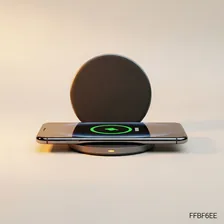
Wireless Charging Pads

Wireless Charging Pads

Complete repair and maintenance guide for wireless charging pads

Wireless charging pads have become a clutter-free way to charge phones, earbuds, and accessories — replacing tangled cable nests with a simple drop-and-charge experience. The convenience does come with quirks of its own, though, since wireless charging is fundamentally less efficient than wired and is more sensitive to alignment and case thickness. Slow charging, devices not being detected, pads getting too hot, devices charging at lower wattage than expected, indicator lights failing, and overnight charging interruptions are the most common complaints. Most are fixable through alignment adjustments, case removal, or power supply upgrades. This guide covers every common wireless charging issue.

Understanding Wireless Charging Pads

Wireless charging pads use the Qi standard (or Apple's MagSafe variant) to charge phones and accessories without a physical cable connection. The technology works through electromagnetic induction — the pad creates an alternating magnetic field that induces current in the receiving coil inside the device. Modern Qi2 charging delivers up to 15W to compatible iPhones and Android phones, while older Qi 1.0 pads are limited to 5–10W. MagSafe-compatible pads add magnetic alignment that ensures the device stays in the optimal position for fastest charging.

Wireless charging is convenient — drop your phone on the pad to start charging — but slower and less efficient than wired charging. Energy is lost as heat (typically 20–30% efficiency loss versus wired), which both wastes electricity and adds heat that ages the phone's battery slightly faster. For most users, the convenience justifies the tradeoffs, especially for desktop chargers that you place phone on intermittently throughout the day rather than for overnight charging where wired is gentler on the battery.

Common Problems

1

Device Charging Very Slowly on Pad

Slow wireless charging is most commonly caused by the device not being centered properly on the pad coil, a thick or magnetic case interfering with the wireless coupling, or the pad being powered by a USB port that does not deliver enough wattage.

2

Phone Not Being Detected by Pad

Detection failures are typically caused by the device being misaligned with the pad coil, metal cases or attachments blocking the wireless signal, or the pad not supporting the wireless charging standard the device uses.

3

Charging Pad Getting Excessively Hot

Excessive heat from wireless pads is normal to some degree because wireless charging produces heat as a byproduct, but excessive heat suggests poor coil alignment, a case interfering with charging efficiency, or the pad being driven beyond its rated wattage.

4

Only Charging at Lowest Wattage

Low charging wattage is typically caused by the pad being powered by a 1A USB port instead of the higher amperage required, the device not supporting the pad's fast wireless charging standard, or thick cases reducing coil coupling efficiency.

5

Indicator Light Not Coming On

Indicator light failures are most commonly caused by the pad not being powered (USB port issue or cable problem), the indicator LED itself failing, or — for some pads — the indicator only activating when a compatible device is detected on the pad.

6

Charging Stopping Randomly During Night

Random overnight charging stoppages are typically caused by the device shifting position on the pad, the device temperature triggering charging pause for safety, or — for some pads — periodic charging cycles to extend battery life that the user mistakes for failures.

Why Wireless Charging Pads Fail

Wireless charging pads fail in predictable ways. The internal charging coil and circuitry generate heat, which over years degrades capacitors and reduces output power. The USB-C or Micro-USB input port on the pad wears from repeated cable insertion. Magnetic pads can lose their magnetic strength over years of use, leading to inconsistent alignment. Premium pads with active cooling fans add fan-related failure modes — the fans accumulate dust and eventually fail.

Beyond hardware failures, charging issues are often caused by foreign objects between phone and pad. A coin, key, or even a thick credit card in a phone case can prevent charging entirely or cause inefficient slow charging that overheats both phone and pad. Phone case material matters too — some metal cases or magnetic mounts block wireless charging, while ones rated for wireless charging work fine.

Repair & Fix Guides

Maintenance Tips

  • Use the wall adapter that came with the pad — USB ports often deliver insufficient power
  • Keep the pad surface clean — dust and debris reduce coupling efficiency over time
  • Position devices to align with the pad coil for optimal charging speed
  • Avoid metal-backed phone cases which prevent wireless charging completely
  • Replace the wireless charger every 3-5 years — coil efficiency degrades over time

Repair, Replace & Buying Advice

Wireless chargers older than 3–4 years often charge significantly slower than newer ones due to component degradation and the introduction of newer standards. The replacement reasons are usually faster charging (Qi2 over older Qi), MagSafe compatibility, or the desire for new form factors (multi-device pads, stand designs).

When buying new, the most important factors are output wattage matched to your phone (a 15W pad on a 7.5W-capable phone wastes the difference), Qi2 or MagSafe support if you have a compatible device, build quality, foreign object detection (a safety feature that prevents charging when something metal is on the pad), and form factor (flat pad for desk, stand for video calls, multi-device for charging phone + earbuds + watch simultaneously).

Long-Term Care & Best Practices

Wireless charging pads are deceptively simple-looking devices that quietly do real electrical work and benefit from a small amount of routine attention. The single most useful habit is keeping the top surface clean and free of dust, food crumbs, and small metallic objects like coins, paperclips, or jewellery. Even a tiny metal object between the phone and the pad can heat dramatically while charging is attempted, posing a fire risk and damaging both the pad and the phone. A weekly wipe with a slightly damp cloth, plus a quick visual inspection before placing your phone, takes seconds and prevents the rare but serious failures that get headlines.

Heat management is the second key factor in wireless-charging-pad longevity and in the longevity of the phones being charged. Wireless charging is significantly less efficient than wired charging, with the difference dissipated as heat — and heat is the worst thing for both the phone's battery and the pad's electronics. Avoid wireless charging in hot locations, don't pile a thick case on top of an already-warm setup, and consider a pad with active cooling fan if you frequently charge premium phones at maximum wireless speeds. Most pads also include thermal protection that throttles charging when temperatures climb, which extends both pad and battery life but slows charging noticeably.

Cable and adapter quality matter on wireless pads because the pad is only as reliable as the power supply behind it. Use the cable and adapter that came with the pad, and replace them with high-quality alternatives if they fail rather than substituting random spares from a drawer. As newer phones support faster wireless charging standards (15W, 25W, magnetic alignment systems), older 5W or 10W pads may feel painfully slow even though they still technically work. Keep older pads as nightstand chargers where charging speed doesn't matter, or as guest-room amenities. Recycle through certified e-waste channels when they truly fail.

Quick Tips

Use the included power adapter — USB ports rarely deliver enough power for fast charging

Center the device carefully on the pad — even 1cm offset reduces charging speed dramatically

Remove magnetic mounts before wireless charging — they interfere completely

Frequently Asked Questions

Why is my wireless charging slower than wired charging?

Wireless charging is inherently less efficient than wired — typically 20–30% of energy is lost as heat rather than going to the battery. Modern wired chargers also support faster charging protocols (USB Power Delivery, Quick Charge) that wireless can't match. For fast top-ups, wired is significantly faster; for overnight or all-day charging, wireless is fine.

Will wireless charging damage my phone battery?

The heat generated during wireless charging slightly accelerates battery wear compared to wired charging at the same speed, but the difference is small. The much bigger battery health impact comes from charging speed (faster charging generates more heat regardless of method) and charging to 100% (holding any battery at full charge accelerates aging). For maximum battery life, charge to 80% rather than 100% when possible, regardless of wireless or wired method.

Do I need a special phone case for wireless charging?

Most plastic, silicone, and leather cases work fine with wireless charging, even cases up to 3-4mm thick. Metal cases, magnetic mounts (without specific MagSafe compatibility), and cases with metal credit card slots block wireless charging entirely. If your case is wireless-charging compatible, the manufacturer typically advertises it specifically.

Can I use any wireless charger with my phone?

Most Qi-compatible phones work with any Qi charger, but charging speeds may not match advertised numbers if the charger and phone don't both support the same fast-charging protocol. iPhones charge at 7.5W on standard Qi pads, 15W on MagSafe pads. Pixel and Samsung phones support Qi or proprietary fast charging at various speeds. Check your phone's specifications for maximum supported wireless charging wattage.

Why does my wireless charger get warm during use?

Some warming is normal — wireless charging is inefficient and the lost energy becomes heat. If the pad gets uncomfortably hot, possible causes are: foreign objects between phone and pad blocking optimal alignment, a phone case that's too thick, charging in a hot environment, or a failing charging circuit in the pad itself. Excessive heat is worth investigating; some heat is expected.

Step-by-Step Repair Tutorials

Hands-on tutorials covering the most common Wireless Charging Pads repairs.

Recommended Learning Guides

Background knowledge from the Learning Center to help you understand and care for Wireless Charging Pads.

Related Guides