 NationRepair
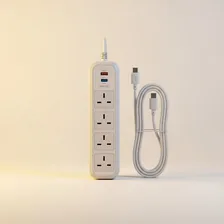
Surge protectors and extension cords solve the universal problem that wall outlets are never positioned conveniently and rarely sufficient for the number of devices we want to plug in. A surge protector is more than just a power strip — it includes electronic components (most commonly metal oxide varistors, MOVs) that absorb dangerous voltage spikes from lightning, power grid switching, or appliance startups, protecting connected devices from damage. A simple power strip without surge protection offers convenience but no electrical protection.
Quality surge protectors carry ratings that indicate their capability: joule rating (higher is better — 1,000+ joules for basic protection, 3,000+ for serious protection), clamping voltage (lower is better — 330V is ideal), response time (faster is better — under 1 nanosecond), and warranty terms (manufacturers that warrant connected equipment up to specified amounts have skin in the game). Battery backup units (UPS) add the additional capability of keeping devices running during power outages, valuable for desktops where data could be lost from sudden shutdowns.