Power Banks & Portable Chargers

Power Banks & Portable Chargers

Complete repair and maintenance guide for power banks and chargers

Power banks and portable chargers keep phones, tablets, and small devices running through long days, travel, and emergencies — making them essential modern accessories. Their lithium battery cells age over time and their compact construction faces wear from being carried in bags and pockets every day. Slow device charging, capacity loss, charger not charging itself, overheating, inaccurate battery indicators, and pass-through charging failures are the most common complaints. Most are fixable through cable swaps, settings adjustments, or simply understanding how power bank specifications actually work in practice. This guide covers every common portable charger issue with practical fixes.

Understanding Power Banks & Portable Chargers

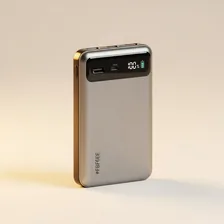
Power banks are portable lithium-ion batteries that recharge phones, tablets, laptops, and other USB-powered devices when wall power isn't available. The category covers everything from credit-card-sized 3,000 mAh emergency chargers ($15) to massive 27,000 mAh laptop power banks with 100W USB-C Power Delivery ($120+). The right size and power output depends on what you're charging — a phone needs different specifications than a laptop, and frequent travelers need different specifications than once-a-year campers.

Power bank technology has converged on USB-C Power Delivery (USB-C PD) as the universal standard for fast charging across phones, tablets, and most modern laptops. The latest generation of power banks delivers 65W, 100W, or even 140W output — enough to fast-charge any device on the market. Solar-charging power banks have improved dramatically (though they still need direct sunlight for many hours to fully recharge, making them best as supplementary backup rather than primary charging).

Common Problems

1

Not Charging Connected Devices at Full Speed

Slow charging from power banks is typically caused by using cables that do not support the power bank's maximum output, the receiving device having reached a higher charge level where charging naturally slows, or the power bank not supporting the fast charging protocol your device uses.

2

Capacity Much Lower Than Advertised Rating

Apparent capacity loss compared to advertised specifications is normal — power bank capacity is measured at the cell level, while real-world delivered capacity is roughly 60-70% of that due to voltage conversion losses. Genuine capacity loss occurs through aging over hundreds of charge cycles.

3

Power Bank Not Charging Itself Properly

Power bank charging failures are most commonly caused by using a charger that delivers less wattage than the power bank requires, a damaged USB-C cable, or the input port on the power bank itself becoming damaged or loose from repeated use.

4

Overheating During Charging or Discharging

Power bank overheating is typically caused by simultaneous charging input and device output stressing the internal voltage converters, ambient temperature being high, or — for older power banks — battery cell degradation increasing internal resistance.

5

LED Indicators Showing Incorrect Battery Level

LED indicator inaccuracy is usually caused by the power bank's battery management system needing recalibration through a full discharge and recharge cycle, or — for older power banks — sensor drift that requires factory reset to correct.

6

Pass-Through Charging Not Working

Pass-through charging failures are most commonly caused by the power bank not actually supporting pass-through (which not all models do), insufficient input power to charge both the bank and connected device simultaneously, or settings that disable pass-through to extend bank life.

Why Power Banks & Portable Chargers Fail

Power banks degrade just like any lithium-ion battery — after 300–500 full charge cycles, capacity drops noticeably. After 3–5 years of regular use, a power bank may hold only half its rated capacity. Heat is the biggest degradation accelerator: leaving a power bank in a hot car, charging it while it's hot, or storing it at full charge in warm conditions all shorten lifespan dramatically. USB ports wear out from repeated insertion, especially the older Micro-USB connectors that older power banks use.

Beyond gradual degradation, sudden failures include charging circuit faults (the power bank charges but won't output, or vice versa), USB port failures (one port dies while others continue working), and case damage that exposes the lithium cells inside. A swollen power bank — where the battery has expanded enough to bulge the case — is a fire hazard and should be safely disposed of immediately, never punctured or thrown in regular trash.

Repair & Fix Guides

Maintenance Tips

  • Recharge the power bank every 2-3 months when stored unused to maintain battery health
  • Avoid leaving the power bank fully discharged for extended periods which damages cells
  • Use cables rated for the power bank's maximum output for fastest charging
  • Keep the power bank cool — heat dramatically accelerates capacity loss over time
  • Inspect ports periodically for damage and clean with compressed air to maintain reliability

Repair, Replace & Buying Advice

Power banks that have lost more than 30–40% of their original capacity are usually worth replacing — the inconvenience of frequent recharging defeats the purpose of carrying one. Newer power banks also typically offer faster output, more ports, and USB-C as standard. The total cost of a replacement power bank is small compared to the convenience benefit.

When buying new, the most important specifications are real capacity (advertised mAh ratings often inflate by 30%+ — look for actual usable Wh ratings), output wattage (60W+ for laptop charging, 18W+ for phone fast charging), port count and types (USB-C for modern devices, USB-A for older accessories, ideally both), input charging speed (so the power bank itself recharges quickly), pass-through charging (the ability to charge devices while the power bank itself is being charged), and weight if you carry it daily.

Long-Term Care & Best Practices

Power banks are essentially batteries with USB ports, and the single most important habit is treating them with the same care you'd give the battery in your phone. Avoid leaving a power bank fully charged for months at a time — the lithium cells inside age much faster at 100% than at 50–60%, so partial charging suits storage better than full charging. Equally avoid letting a power bank sit fully discharged for months, which can cause irrecoverable deep discharge and permanent capacity loss. If a power bank lives in your travel kit between trips, top it up to roughly 60% before storing and check on it every couple of months.

Heat is the second silent killer of power banks and is responsible for the majority of dramatic failures. Never leave a power bank on a sunny dashboard, in a hot car overnight, or charging under a pillow. The combination of charging heat and ambient heat can push internal temperatures past the safe limit for lithium cells, and although modern power banks include thermal protection circuitry, repeated thermal stress accelerates capacity loss and increases failure risk. A small amount of warmth during fast charging is normal, but anything that's uncomfortable to hold should be unplugged immediately and allowed to cool before resuming use.

Plan for honest end-of-life management because a degraded power bank is the most common type of lithium battery to be improperly disposed of. After about three to five years of regular use, capacity will have dropped enough that the power bank no longer charges your devices as many times per cycle as it used to. At that point, recycle through proper channels — most electronics retailers and many municipal waste programmes accept power banks, and they should never be put in regular household rubbish or recycling streams. A punctured or damaged power bank should be taped over its ports with electrical tape and recycled immediately rather than left around in case of fire risk.

Quick Tips

Real capacity is roughly 60-70% of the advertised mAh due to voltage conversion losses

Recharge stored power banks every 2-3 months to prevent permanent capacity loss

Use the right cable — cheap cables limit charging speed dramatically

Frequently Asked Questions

How do I know how much capacity my power bank really has?

Marketing capacity in mAh is rated at the battery cell voltage (typically 3.7V), but USB output runs at 5V. To convert advertised mAh to actual usable USB capacity, multiply by 0.7. So a '20,000 mAh' power bank actually delivers about 14,000 mAh of usable USB charging — enough to fully charge most phones 3–4 times. Watt-hour ratings (Wh) are more honest and what airlines use for travel restrictions.

Can I take a power bank on an aircraft?

Yes, but with restrictions. Power banks must be in carry-on luggage (not checked), and the watt-hour rating typically must be under 100 Wh for unrestricted carry. Banks 100–160 Wh require airline approval (limit 2). Banks over 160 Wh are prohibited on commercial flights. Most consumer power banks are well under 100 Wh — a 20,000 mAh bank is roughly 74 Wh.

Why does my power bank get hot while charging?

Some warming during charging is normal, but uncomfortable heat indicates a problem. Causes include: charging in a hot environment, fast-charging more devices than the power bank is designed for, a damaged battery cell that's failing, or a defective charging circuit. If the power bank gets dangerously hot or the case bulges, stop using it immediately — these are signs of imminent battery failure.

How long does a power bank battery last before needing replacement?

Most power bank batteries retain 80% of original capacity for 18–24 months of regular use, declining more steeply after that. By year 4–5, expect 50% of original capacity. Quality power banks from established brands (Anker, RAVPower, AUKEY) typically last longer than budget no-name banks. Heat-managed storage (cool, dry, partial charge) extends life significantly.

Can I leave my power bank plugged in to charge overnight?

Quality power banks include charge-stop circuitry that prevents overcharging once the battery is full, so leaving them plugged in is generally safe. However, holding the battery at 100% constantly does accelerate long-term capacity loss. If you're not in a hurry, charging to 80–90% and unplugging is gentler on the battery.

Step-by-Step Repair Tutorials

Hands-on tutorials covering the most common Power Banks & Portable Chargers repairs.

Recommended Learning Guides

Background knowledge from the Learning Center to help you understand and care for Power Banks & Portable Chargers.

Related Guides