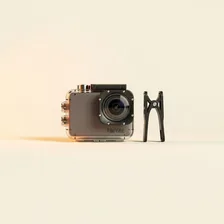
Action Cameras

Action Cameras

Complete repair, care and maintenance guide for action and sport cameras

Action cameras are built for adventure — surfing, mountain biking, skiing, diving, and every extreme situation that would destroy a regular camera. Their ruggedised design hides genuinely complex internals that face heat, moisture, vibration, and physical impact every time you press record. SD card errors, overheating during long recordings, fogged lenses, drained batteries, and damaged waterproof housings are the issues action camera owners run into regularly. Many of these are preventable through good habits, and the rest are repairable at home with the right approach. This guide covers every common action camera fault with clear, practical fixes.

Understanding Action Cameras

Action cameras are small, rugged, wide-angle video cameras built to be mounted on helmets, surfboards, drones, and bicycles for first-person capture of sports and adventure footage. GoPro defined the category and remains the dominant brand, with serious competition from DJI Osmo Action, Insta360, Akaso, and others. The defining features across all action cameras are extreme wide-angle lenses (often 170° field of view), built-in image stabilisation, waterproof or shock-resistant bodies, and small enough size to mount almost anywhere.

The technical capabilities of consumer action cameras have advanced enormously — 5K and 8K recording, 240 fps slow-motion, HDR video, GPS overlays, voice control, and software-based stabilisation that rivals professional gimbals. What used to require thousands of dollars of camera gear and a steady hand can now be captured by anyone with a $300 camera strapped to a helmet. This democratisation of high-quality video has been the foundation of YouTube and TikTok content as much as social media platforms themselves.

Common Problems

1

SD Card Error or Not Being Recognised

SD card errors on action cameras are most commonly caused by using cards that do not meet the speed rating required for high-resolution video recording. Card corruption from improper removal during recording, or from cards reaching end of life after thousands of write cycles, is the second most common cause.

2

Overheating During Long Recording Sessions

Action cameras generate significant heat when recording high-resolution video continuously, particularly in 4K and high-frame-rate modes. Direct sunlight, lack of airflow when mounted, and recording in hot environments accelerate overheating to the point where the camera shuts down for self-protection.

3

Lens Scratched or Fogged Inside

External lens scratches occur from sand, branches, and rocks during use without a lens protector. Internal fogging happens when humidity gets trapped inside the housing during temperature changes — particularly when moving between cold water and warm air.

4

Battery Draining Extremely Quickly

Action camera batteries are small and work hard, particularly when recording 4K video and using GPS, Wi-Fi, and image stabilisation simultaneously. Cold environments dramatically accelerate battery drain, and aged batteries lose significant capacity even with light use.

5

Waterproof Housing Seal Damaged

Action camera housings rely on rubber O-ring seals that degrade over time and become brittle, cracked, or compressed beyond usefulness. Sand, hair, and debris caught in the seal during closing also break the waterproof barrier and lead to flood damage on the next dive.

6

Video Footage Shaky Despite Stabilisation

Shaky footage despite electronic stabilisation usually indicates a loose mount, the camera rolling slightly inside its housing, or stabilisation being disabled by certain shooting modes. Checking mount tightness and stabilisation settings resolves most shake problems before any hardware investigation.

Why Action Cameras Fail

Action cameras lead a brutal life. Sand, salt water, freezing temperatures, sustained vibration, and routine impacts that would destroy a phone are baseline operating conditions. Despite ruggedised housings, the most common failures are saltwater intrusion (which corrodes contacts and batteries within hours if not rinsed), cracked lens covers from impacts, microphone clogging from mud or sweat, and battery cycle exhaustion from heavy continuous shooting.

Battery problems are particularly acute because action cameras run hot when recording high-resolution video and many owners keep multiple batteries on rotation, charging them rapidly between sessions. This combination — heat plus rapid cycling — accelerates battery degradation significantly. After 2 years of active use, expect noticeable runtime reduction. Fortunately, most action cameras use removable batteries that cost $20–$40 to replace, making this a much smaller problem than in fully sealed devices.

Repair & Fix Guides

Maintenance Tips

  • Inspect housing seals before every water dive to catch damage before flooding occurs
  • Use anti-fog inserts inside the housing for any cold-to-warm temperature transitions
  • Carry spare batteries — small action camera batteries drain faster than most users expect
  • Format SD cards in the camera every few sessions to prevent file system corruption
  • Rinse the camera and housing with fresh water after every salt water or pool use

Repair, Replace & Buying Advice

Action camera technology has matured to the point where a 3-year-old camera still produces excellent footage. Upgrade reasons are usually feature-specific: better stabilisation, higher resolution, longer battery life, or a new mounting ecosystem. Don't replace a working camera just because a new generation launched — the practical difference is often invisible to viewers.

When buying new, the specifications that actually matter are real-world battery life (advertised numbers often assume features off), maximum continuous recording time before overheating (this varies wildly between models), stabilisation quality, replaceable lens covers (so a scratched lens doesn't ruin the camera), accessory ecosystem compatibility, and whether the camera takes standard memory cards (avoid models that lock you into proprietary storage).

Long-Term Care & Best Practices

Action cameras live the toughest life of any consumer electronic — mounted to bikes, helmets, surfboards, and dashboards in dust, water, mud, and impact-prone situations. The single most important maintenance habit is rinsing the camera in fresh water immediately after any salt-water exposure. Salt crystals form quickly as water evaporates, and they corrode the housing, microphone ports, and battery contacts within days. A two-minute rinse under a tap, followed by a soft towel dry, prevents more long-term damage than any other single habit. For mud, sand, and dust, the same rinse-and-dry routine works equally well, and the small effort dramatically extends the camera's useful life.

Memory cards are the unsung heroes and most common failure points of action cameras. Use only cards that match the camera's recommended speed class (typically V30 or V60 for 4K recording), buy genuine cards from reputable retailers (counterfeit cards are widespread on online marketplaces), and format them in the camera itself rather than on a computer. Carry a spare card in a small waterproof case so you're never stuck mid-trip with a full or failed card. After every major shoot, copy footage off and reformat the card before the next outing — fragmented cards cause dropped frames and corrupted files at exactly the moments when you can't reshoot.

Battery management deserves attention because action cameras run their small batteries hard. Carry two or three spares for any extended shoot, label them with the date of purchase, and rotate them so they age evenly. Don't leave a camera on standby for hours hoping to catch a moment — the battery will be flat when the moment arrives. As the camera ages and waterproof gaskets harden, consider downgrading it from primary to backup status and using a newer body for critical underwater work; the older camera makes a perfect dashcam, helmet cam for casual rides, or kid's first action camera for years to come.

Quick Tips

Use V30 or higher rated SD cards for 4K recording — slower cards cause most card errors

Inspect O-ring seals every dive — sand or hair in the seal causes total flood damage

Carry 2-3 spare batteries for any session longer than an hour — they drain fast

Frequently Asked Questions

Why does my action camera shut off after recording for a while?

Almost always thermal protection. High-resolution video generates significant heat in a small sealed body, and the camera shuts off to prevent damage. Recording at lower resolution, removing the camera from direct sunlight, taking off any waterproof housing when not in water, and giving short cooling breaks all extend continuous recording time significantly.

How do I clean salt water off my action camera?

Immediately after exposure, rinse the camera (still sealed) in fresh water for 1–2 minutes to dissolve salt before it crystallises around seals and lens covers. Open compartments only after the exterior is fully dry. Do not power on until you're confident no water has reached the battery or memory card. Salt corrosion is irreversible once it starts — speed of rinsing matters.

Why is my footage shaky despite the stabilisation?

Stabilisation works best when the camera has bright, clear visual reference points. In low light or featureless environments (snow, plain water, fog), the algorithm has nothing to track and stabilisation degrades. Lens cleanliness also matters enormously — a smudged lens prevents the camera from detecting movement accurately.

What size memory card should I use?

For 4K recording, use at least a 64 GB UHS-I U3 (V30) card; for 5K and 8K, use a 128 GB UHS-II V60 or V90 card. Slower cards cause recording to drop frames or stop entirely. Stick to recognised brands (SanDisk, Samsung, Lexar) — counterfeit cards are common and often fail mid-recording.

Can I replace the battery myself?

On most action cameras, yes — batteries pop out of an external compartment in seconds. Buy genuine or reputable third-party replacements; cheap unbranded batteries often fall short of advertised capacity and can swell dangerously inside the camera. Keep at least two batteries on rotation if you shoot regularly so you're never waiting for a charge.

Step-by-Step Repair Tutorials

Hands-on tutorials covering the most common Action Cameras repairs.

Recommended Learning Guides

Background knowledge from the Learning Center to help you understand and care for Action Cameras.

Related Guides